Certified Red Team Professional (CRTP) - Review
Certified Red Team Professional (CRTP) Review
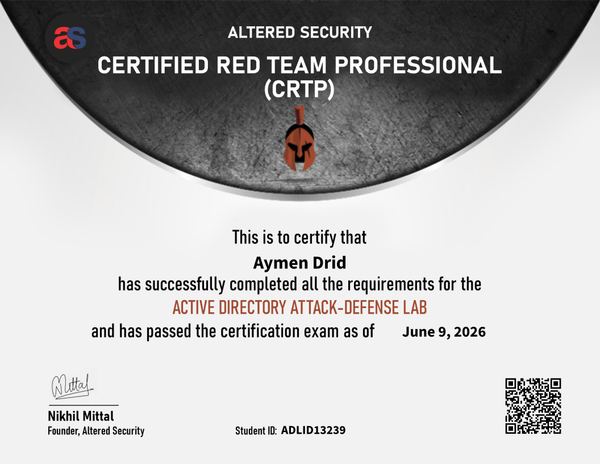
I am proud to share that I have successfully passed the Certified Red Team Professional (CRTP) exam!
Context
I won the CRTP certificate voucher in the WorldWideCTF competition with my team TroJeun. I started the course with zero knowledge about Active Directory in March 2026. I tackled the material slowly, focusing on the videos, understanding the author’s workflows, and adopting the mindset of attacking AD.
Bootcamp
The CRTP bootcamp (Attacking and Defending Active Directory) by Altered Security is a fully hands-on course. It provides:
- High-quality video lectures and a comprehensive PDF workbook.
- A student VM with a low-privileged domain user.
- A fully patched Active Directory lab representing a realistic enterprise infrastructure (multiple domains, forests, trust relationships, SQL servers, and AD CS) with guided solutions for all the labs.
The labs are exceptionally stable and guide you step-by-step through:
- Local privilege escalation and defense bypasses.
- Active Directory enumeration (using PowerView and BloodHound).
- Lateral movement and domain privilege escalation (Kerberoasting, Constrained/Unconstrained Delegation, RBCD).
- Domain persistence (Golden/Silver/Diamond tickets, Skeleton Key, DCSync, AdminSDHolder).
- Forest trust abuse.
What I liked most about this course, and what truly makes Altered Security’s CRTP stand out from other certifications on the market, is its strong focus on operational security (Opsec). You learn how to avoid making noise on the network and execute attacks stealthily. This emphasis on realistic, quiet execution is what makes it unique.
Exam (CRTP)
The CRTP exam is a 24-hour practical challenge followed by another 48 hours for report writing.
- The Lab: You start from a student VM and must compromise a completely patched network.
- The Goal: Gain local administrator access on 6 target machines (including Domain Controllers) in the environment.
- The Experience: It is a test of methodology rather than looking for obscure exploits. You abuse native Active Directory features, misconfigurations, and trust relationships to escalate privileges. Standard tools like PowerShell, PowerView, Rubeus, and Mimikatz are key.
Is it worth it?
Absolutely. If you want to transition from standard network pentesting to Active Directory exploitation and Red Teaming, the CRTP is the best entry-point. Unlike other certifications that rely on outdated exploits, CRTP forces you to understand AD architecture, authentication protocols (Kerberos, NTLM), and misconfigurations.
- Difficulty: 5/10 (Beginner-friendly but requires solid methodology. If you do not master the concepts covered in the lab, you won’t pass easily. You must understand how the attacks and tools work under the hood, as you will need to debug them yourself: make sure to learn that along the way.)
- Quality: 10/10
- Overall Rating: 5/5
Notes
During my preparation, I took extensive notes summarizing the course concepts, Active Directory architecture, and attack vectors. You can read my full course summary here: CRTP Course Summary Notes
Tips
Having a reliable cheat sheet is crucial for the 24-hour exam. I compiled all the essential PowerView, Rubeus, and Mimikatz commands used throughout the course: CRTP Practical Exam Cheatsheet
Here are some additional tips for the exam:
- Enumerate thoroughly: Do not rush. Spend time understanding the Active Directory structure. Enumeration is key; I highly recommend spending most of your time enumerating, as it will help you build a mental graph of the attack path.
- Take screenshots as you go: Your exam report must document every command, so make sure to take detailed screenshots along the way.
- Learn how Windows Defender works: Understanding Defender’s behavior is essential, which naturally leads to the next point.
- Master evasion techniques: Evasion is crucial for modern Active Directory environments where defensive controls are active.
- Take breaks when facing workstation issues: If you get stuck on a specific workstation, take a short rest and approach it again with a fresh perspective.
- Ask yourself three key questions when stuck:
- Need a hint? -> Document everything you have tried so far.
- Trying for the 20th time? -> What would you see if you took a break and came back to this with a fresh mindset?
- Stuck for four hours? -> You have just ruled out four hours’ worth of things that will not waste your time later.